HomeTiles v0.6.0
HomeTiles v0.6.0 introduces a complete Climate tile and popup system, improves network transport reliability, and polishes the web editor and on-device UI across every supported display.
Configurable Climate Tiles
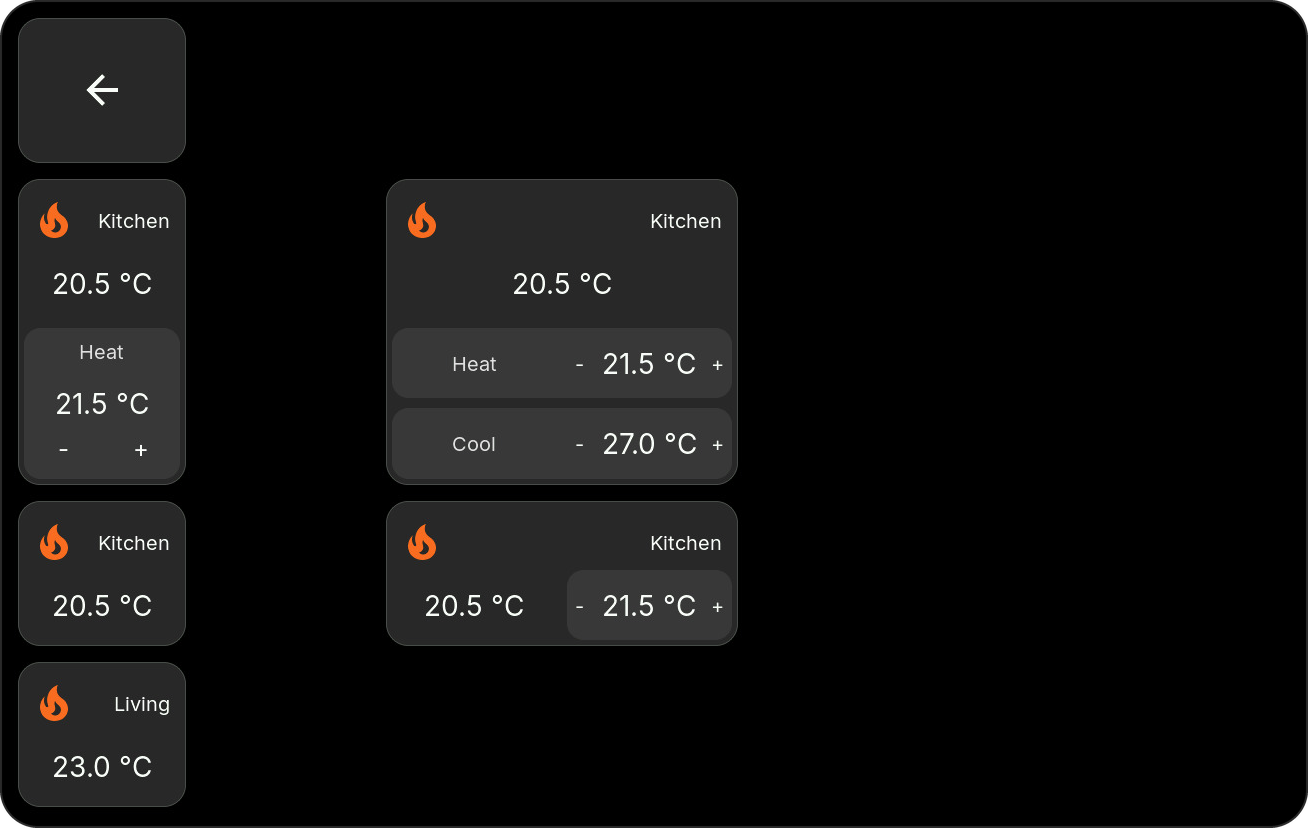
- Climate tiles now contain a configurable grid of mini-tiles.
- Mini-tiles can show current temperature, current humidity, target temperature, separate heating and cooling targets, target humidity, or HVAC mode.
- Mini-tiles can be selected, moved, removed, and rearranged directly in the web preview.
- Resizing a Climate tile updates its slot grid and layout live.
- Automatic content uses the capabilities reported by the Home Assistant entity, so unsupported controls stay hidden.
- Empty Climate tiles remain empty until an entity is selected.
- Web previews and the LVGL device renderer use matching geometry, spacing, alignment, value formatting, and translated labels.
Climate Control Popup
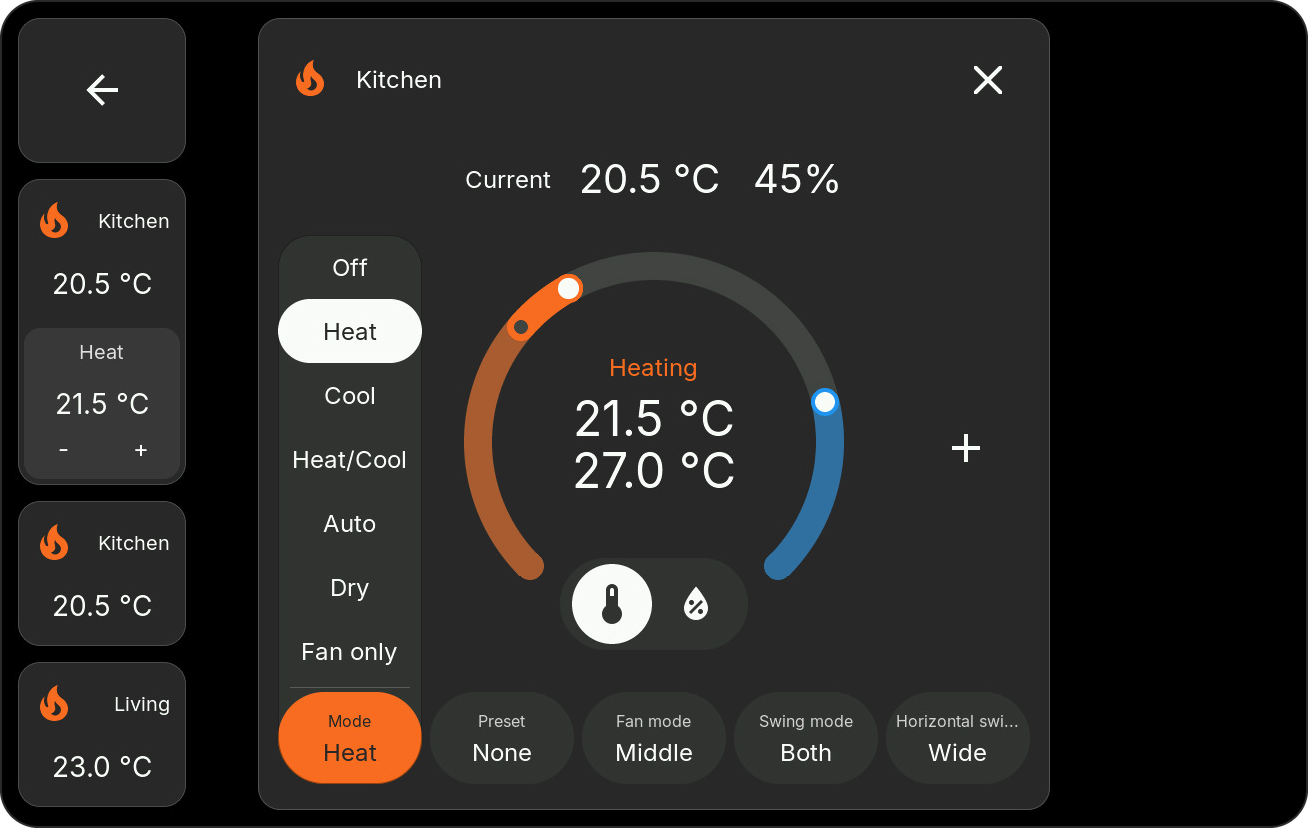
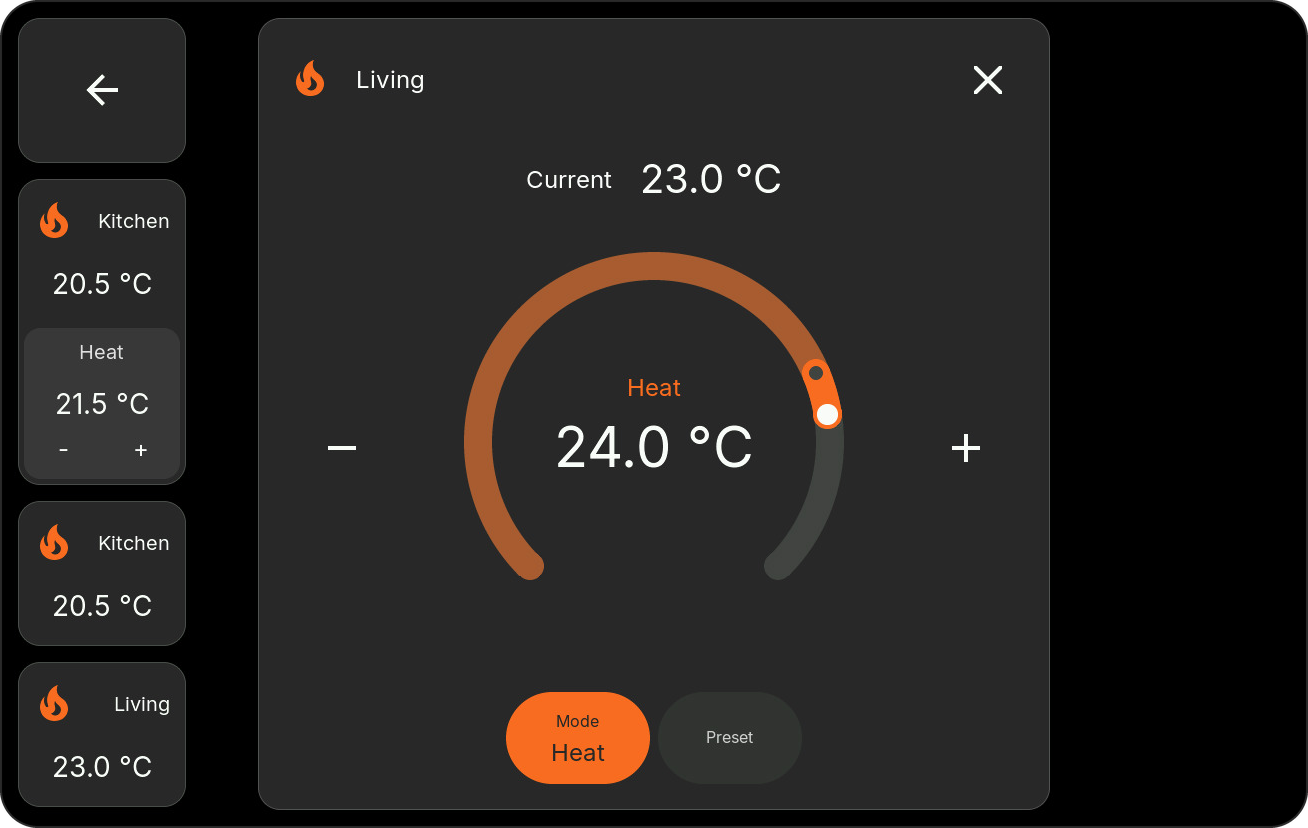
The new touch-first popup adapts to each entity and can expose:
- a single target temperature or a low/high target range
- target humidity
- HVAC modes
- presets
- fan modes
- vertical swing modes
- horizontal swing modes
Only supported controls are shown. Long custom option lists are smoothly touch-scrollable without a visible scrollbar. Current temperature and humidity, target markers, labels, and the circular control are aligned for both 720p and 800p layouts. Marker colors also update while a target is being dragged.
Rapid plus/minus input is handled without stale state updates causing the value to jump backwards.
Web Editor And Localization
- Parent tiles and mini-tiles have distinct selection, hover, and drag feedback.
- Dragging a mini-tile no longer selects or moves its parent.
- Parent resize previews keep mini-tile geometry stable in every direction.
- Climate labels use the shared localization profile instead of language-specific JavaScript branches.
- German and English captions remain consistent between settings, web previews, and the device UI.
Network And Stability
- Added a shared network transport layer with improved WiFi/Ethernet takeover and fallback behavior.
- Improved UI responsiveness while network transports reconnect.
- Hardened ESP-Hosted SDIO transmit and receive allocation paths used by the ESP32-P4/ESP32-C6 connection.
- Existing crash diagnostics and safe recovery remain available through the web admin.
Supported Devices
Every release includes OTA and factory binaries for:
- M5Stack Tab5
- Waveshare ESP32-P4-WIFI6-Touch-LCD-4B
- Waveshare ESP32-P4-WIFI6-Touch-LCD-8
Use the plain .bin for an OTA update and the _factory.bin only for the first
USB flash. See Firmware Updates for the complete instructions.