HomeTiles
HomeTiles is free, open-source firmware that turns a supported touch display into a Home Assistant control panel. Use tiles to switch lights, adjust heating, control music, and see sensor or energy data at a glance.
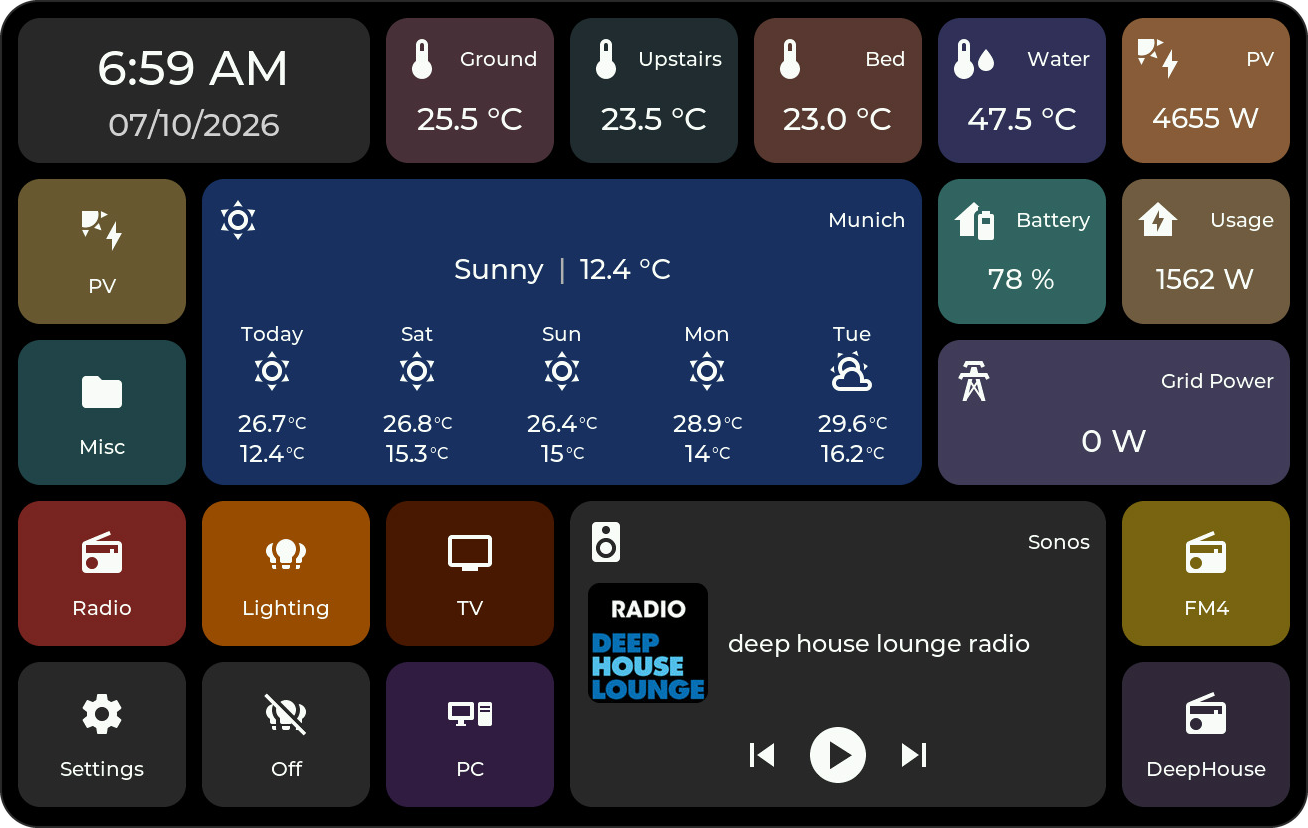
Get started
- Flash the firmware using the online flasher. Choose your exact device and installation mode.
- Connect Home Assistant through the MQTT broker and HomeTiles Bridge.
- Configure your dashboard in the display's Web Admin panel.
- Use the display to control devices and view their data.
Features
- Controls: lights, switches, covers, heating, fans, locks, alarm panels, media, numbers, selections and date/time values.
- Sensors & energy: live values, state history, energy statistics and weather.
- Dashboard: arrange tiles and folders in half steps with a live browser preview; open views from Home Assistant.
- Colors: icon circles, tile colors from the icon, and rules that color tiles by an entity's state.
- Screensaver: display a clock, photos and sensor tiles.
- Local hardware: use supported GPIO outputs, relays and temperature sensors.
- Security: an optional Web Admin password and encrypted commands to Home Assistant.
- Updates: install firmware from the display or your browser.
- Camera: live video on ESP32-P4 displays; supported displays share their built-in camera with Home Assistant.
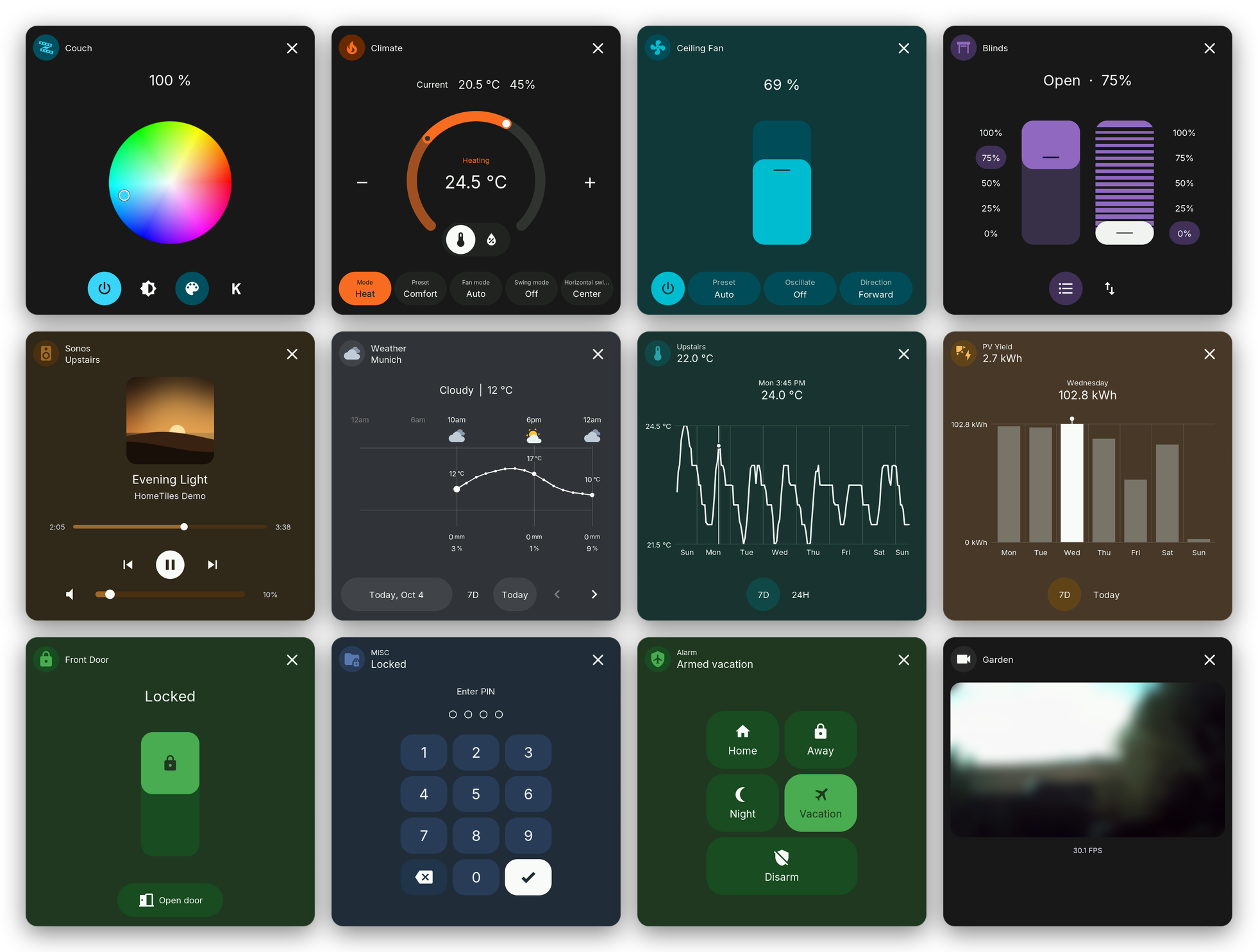
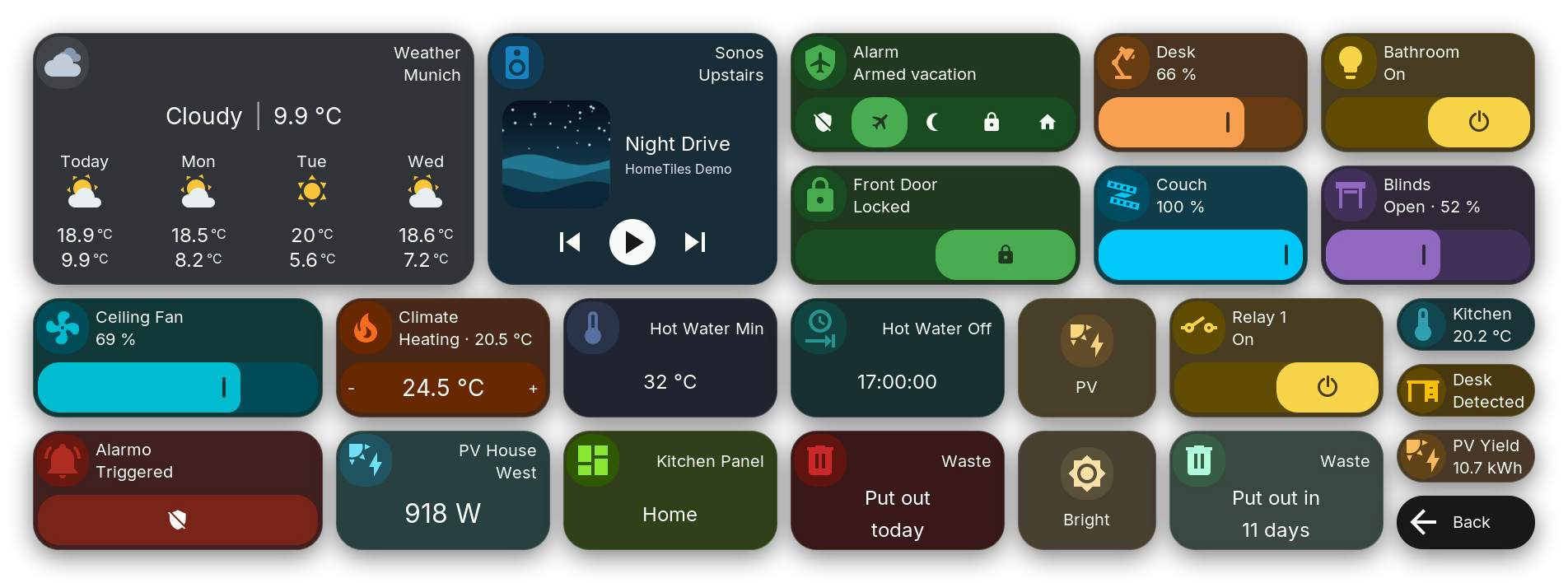
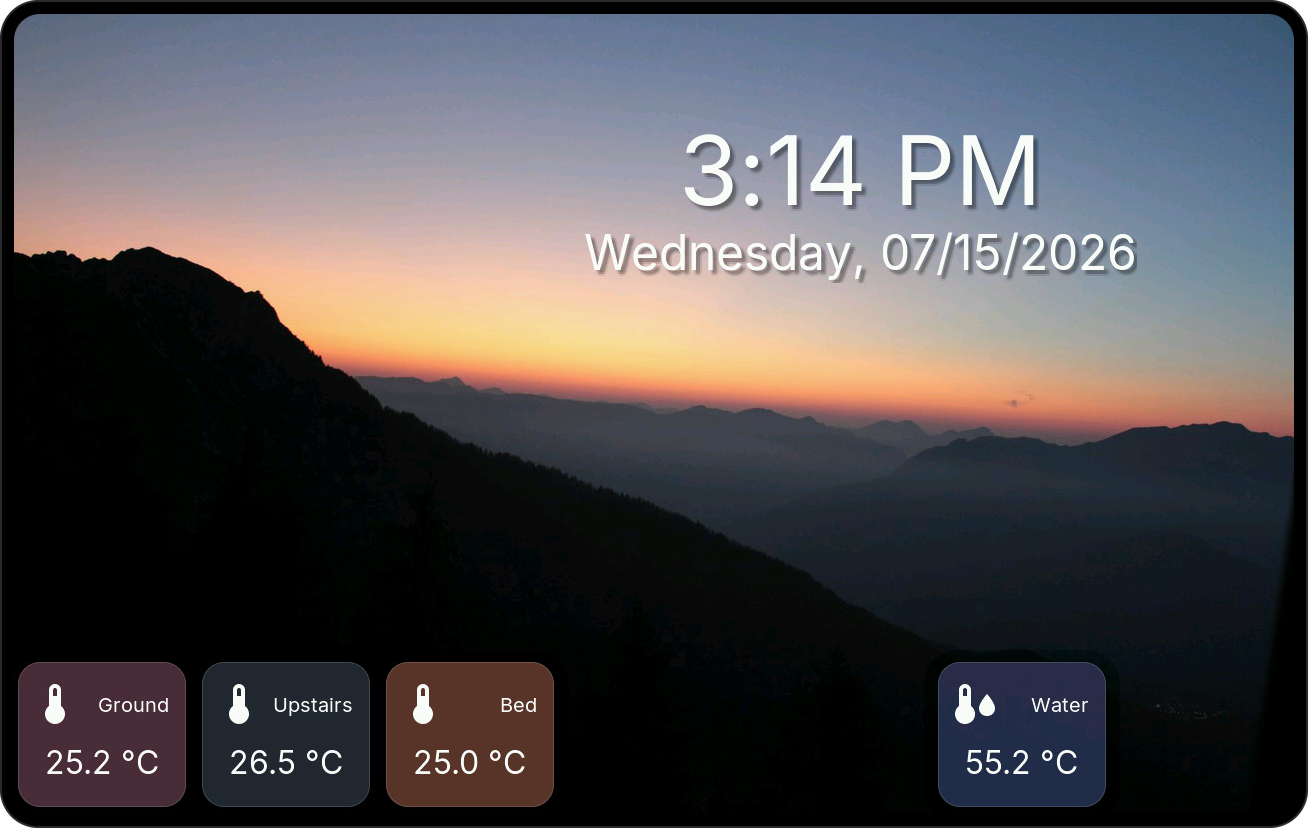
All tile types and screensaver configuration.
Demo
This video shows an older version. The current release is faster and looks better; a new demo video will follow soon.
Device Support
Match the exact hardware revision before flashing. Open online flasher.
ESP32-P4
| Model | Display | Status | Link |
|---|---|---|---|
| M5Stack Tab5 | 5" / 1280×720 | Tested | Link |
| Waveshare LCD-4B (P4) | 4" / 720×720 | Tested | Link |
| Waveshare 86 Panel ETH-2RO | 4" / 720×720 | Tested | Link |
| Waveshare LCD-8 (P4) | 8" / 1280×800 | Tested | Link |
| Guition JC8012P4A1 V1 | 10.1" / 1280×800 | Tested | Link |
| Waveshare LCD-4.3 (P4) | 4.3" / 800×480 | Partial | Link |
| Waveshare LCD-7 (P4) | 7" / 1280×720 | Pending | Link |
| Waveshare 7B/7B-C (P4 pre-v3) | 7" / 1024×600 | Pending | Link |
| Waveshare 7B/7B-C (P4 v3.x) | 7" / 1024×600 | Experimental | Link |
| Waveshare LCD-10.1 (P4) | 10.1" / 1280×800 | Partial | Link |
| Guition JC8012P4A1 V2 | 10.1" / 1280×800 | Tested | Link |
| Guition JC8012P4A1 V3 | 10.1" / 1280×800 | Experimental | Link |
| Guition JC1060P470C V1 | 7" / 1024×600 | Tested | Link |
| Guition JC1060P470C V2 | 7" / 1024×600 | Partial | Link |
| Guition JC4880P443 | 4.3" / 480×800 | Pending | Link |
ESP32-S3
| Model | Display | Status | Link |
|---|---|---|---|
| Guition ESP32-4848S040C_I | 4" / 480×480 | Tested | Link |
| Waveshare LCD-4 Rev 4.0 (S3) | 4" / 480×480 | Tested | Link |
| Waveshare LCD-4B (S3) | 4" / 480×480 | Pending | Link |
Hardware-tested by the maintainer.
Hardware-tested by the maintainer. A brief blue flash while saving or updating is a known display limitation.
Hardware operation and native Ethernet are confirmed. Uses the ESP32-P4 LCD-4B firmware.
Hardware-tested by the maintainer. A brief blue flash while saving or updating is a known display limitation.
v0.6.10 includes the V1-specific SDIO receive fix. Camera streams and Web Admin OTA were confirmed stable in the integrated v0.6.9b1 test build. Camera remains experimental.
Display, touch, Wi-Fi, MQTT, Home Assistant and Weather are verified. microSD and OTA checks are still pending.
Firmware is available, but hardware validation is still requested. This 1280 × 720 model uses different firmware from LCD-7B.
A 7B-C was reported working with v0.6.8, without an exact chip revision in the report. Confirmation for this pre-v3 profile is still needed.
Dedicated experimental firmware for ESP32-P4 v3.1 or newer, including v3.2. Hardware validation is still pending. Boards running the former v3.1-only image need one browser installer Update to switch to it.
Display, touch, Wi-Fi, MQTT and OTA were reported working. Corrected defaults, SD and Camera still need release validation. From v0.7.0, boards with ESP32-P4 v3.1 or newer get a separate experimental firmware (contributor-tested on v3.2).
Maintainer-tested on JC8012P4A1C_I_W_Y1, SKU:10153002-V2. Display, touch, brightness, MQTT and microSD are confirmed. The interface runs smoothly with the v0.6.12 PPA correction. The SD reboot reported on another unit in issue #55 remains under investigation.
The V2 board with ESP32-P4 v3.2. It gets its own experimental firmware; the V2 image does not start on it. Hardware validation is still pending.
Touch, brightness, SD, Wi-Fi/MQTT and OTA were confirmed working since v0.6.5. Requires the exact _I_W_Y model.
Basic operation is confirmed. v0.6.8 includes the orientation correction; full release and OTA confirmation remain pending.
Hardware-tested by the maintainer. Camera tiles are unavailable; a brief black screen while saving is expected.
First released in v0.6.10. Display, backlight, touch, Wi-Fi, Web Admin, MQTT and Web OTA are contributor-tested. Rev 4.0 only; Camera tiles and SD access are unavailable.
Initial hardware testing was reported with PR #29. The adapted release profile still needs confirmation. No microSD or Camera tiles.
Contributor-tested on JC4880P443C_I_W with a local build: display, touch, rotation, camera tile, Wi-Fi/MQTT, microSD and OTA. Firmware is available in v0.7.0; release-image validation is pending. Portrait 480×800 layout; uses different firmware from the Waveshare LCD-4.3.
New In v0.8.0
- Locks, alarm panels and fans: new Lock, Alarm Panel and Fan tiles with their own popups and code entry.
- Security: an optional Web Admin password and encrypted commands, paired by comparing a six-digit number.
- Redesigned Switch tile: a dimmer or switch bar across the tile, also for Cover and Climate, and half-height layouts for almost every tile.
- French and Polish: two new languages, with their letters on the keyboard.
- New boards: Guition JC8012P4A1 V3 and Waveshare 7B with ESP32-P4 v3.x.
- Before updating: install Bridge v0.8.0 through HACS and restart Home Assistant, then export your dashboard. Read the update and downgrade guidance.
How It Works
The display exchanges states and commands with an MQTT broker. HomeTiles Bridge connects the broker to Home Assistant, publishes entity data and executes commands from the display.
Firmware and Bridge are MIT-licensed. Support HomeTiles.